Take control of your OCI spend
The AI-powered FinOps platform built for Oracle Cloud. Get instant visibility, catch anomalies early, and unlock savings — all from one dashboard.
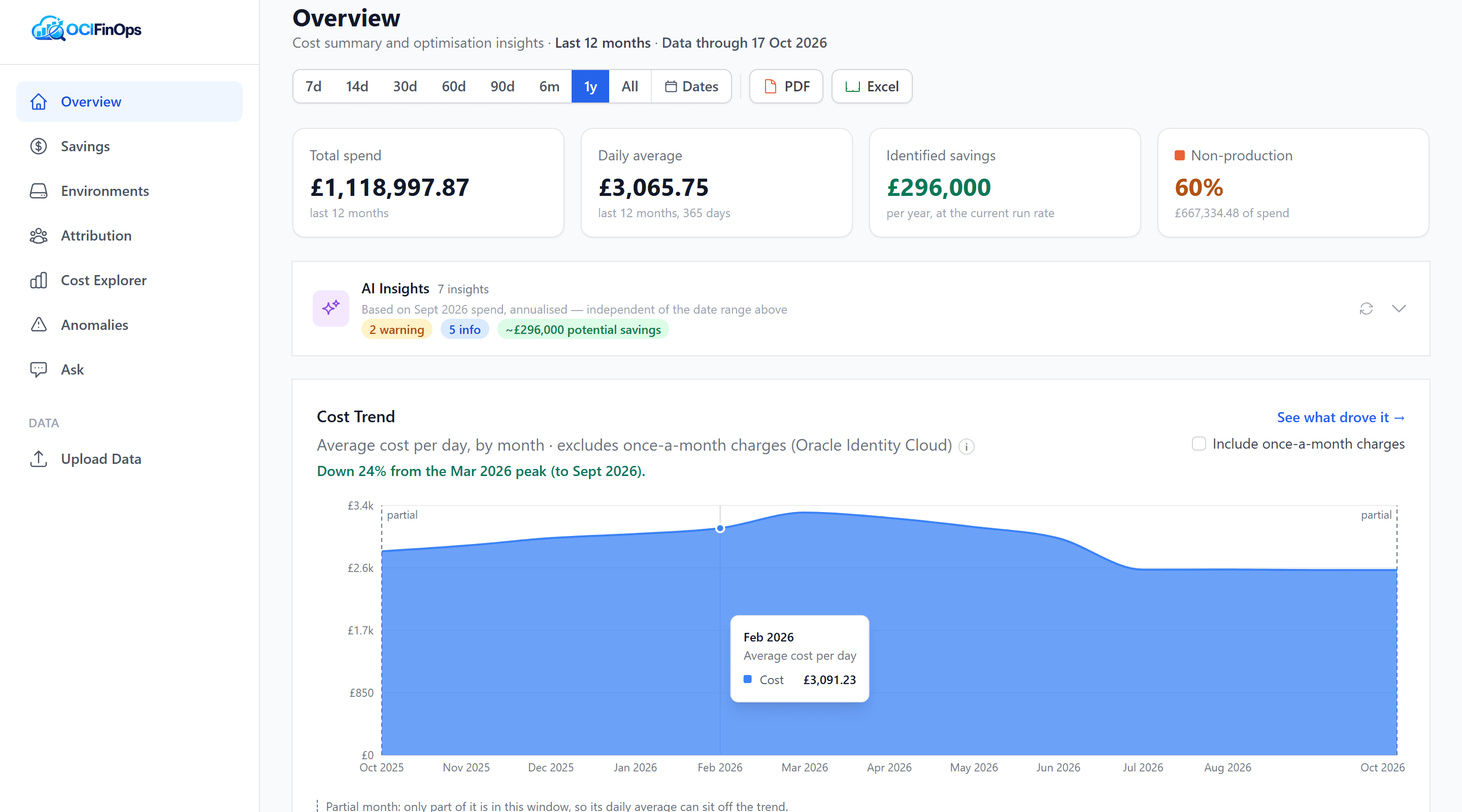
Built for teams who take cloud costs seriously
Every feature is designed to turn raw OCI billing data into clear, actionable intelligence.
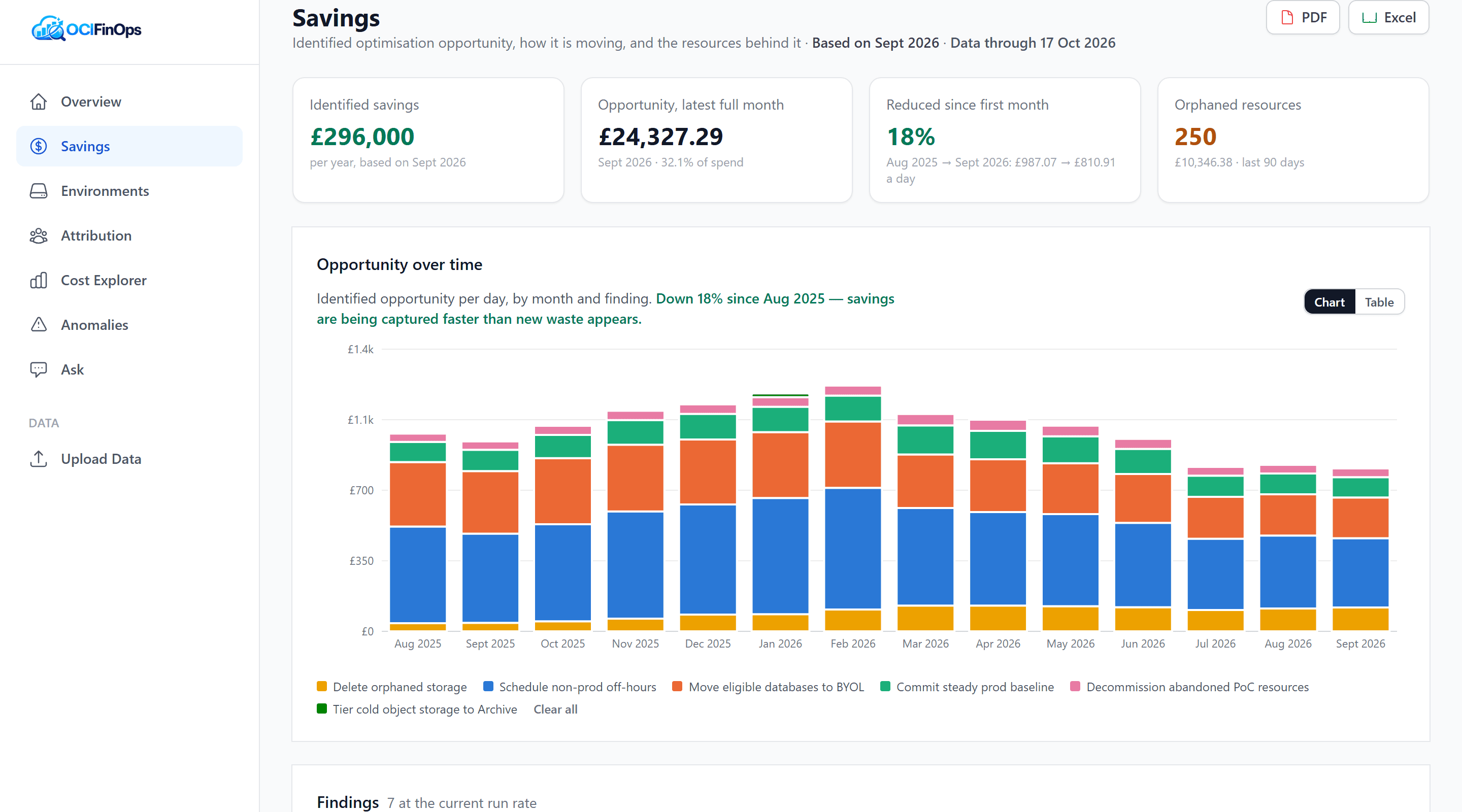
See exactly where you can save
A prioritised list of savings opportunities, each with its estimated annual value and the resources behind it: scheduling non-production off-hours, moving eligible databases to bring-your-own-licence, committing steady production spend, and clearing out orphaned storage. See how the opportunity moves month by month.
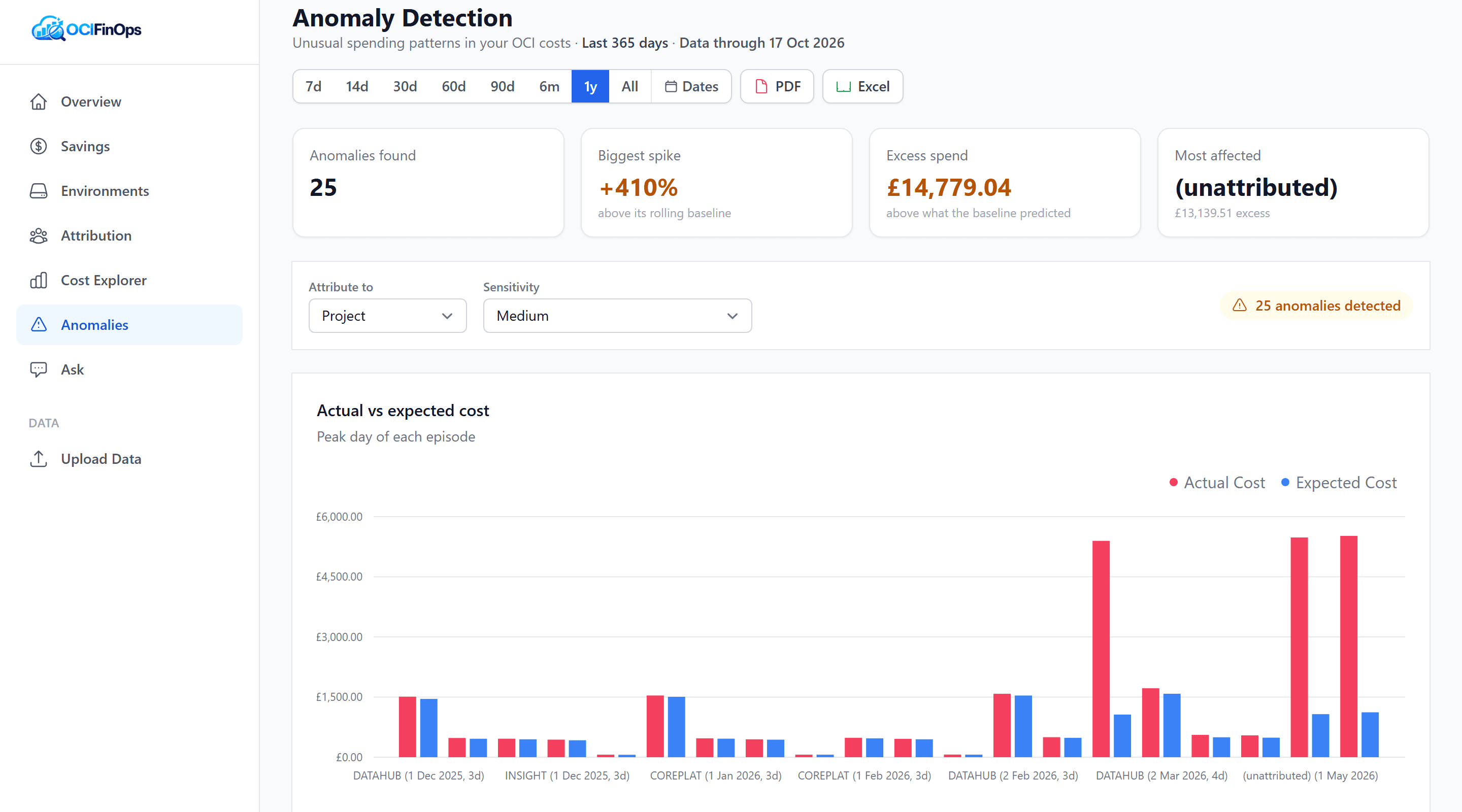
Catch cost spikes early
Unusual spending is flagged and grouped into single events, so one incident doesn't look like a dozen. Choose how sensitive to be, compare actual against expected cost, and see which projects or owners drove each spike.
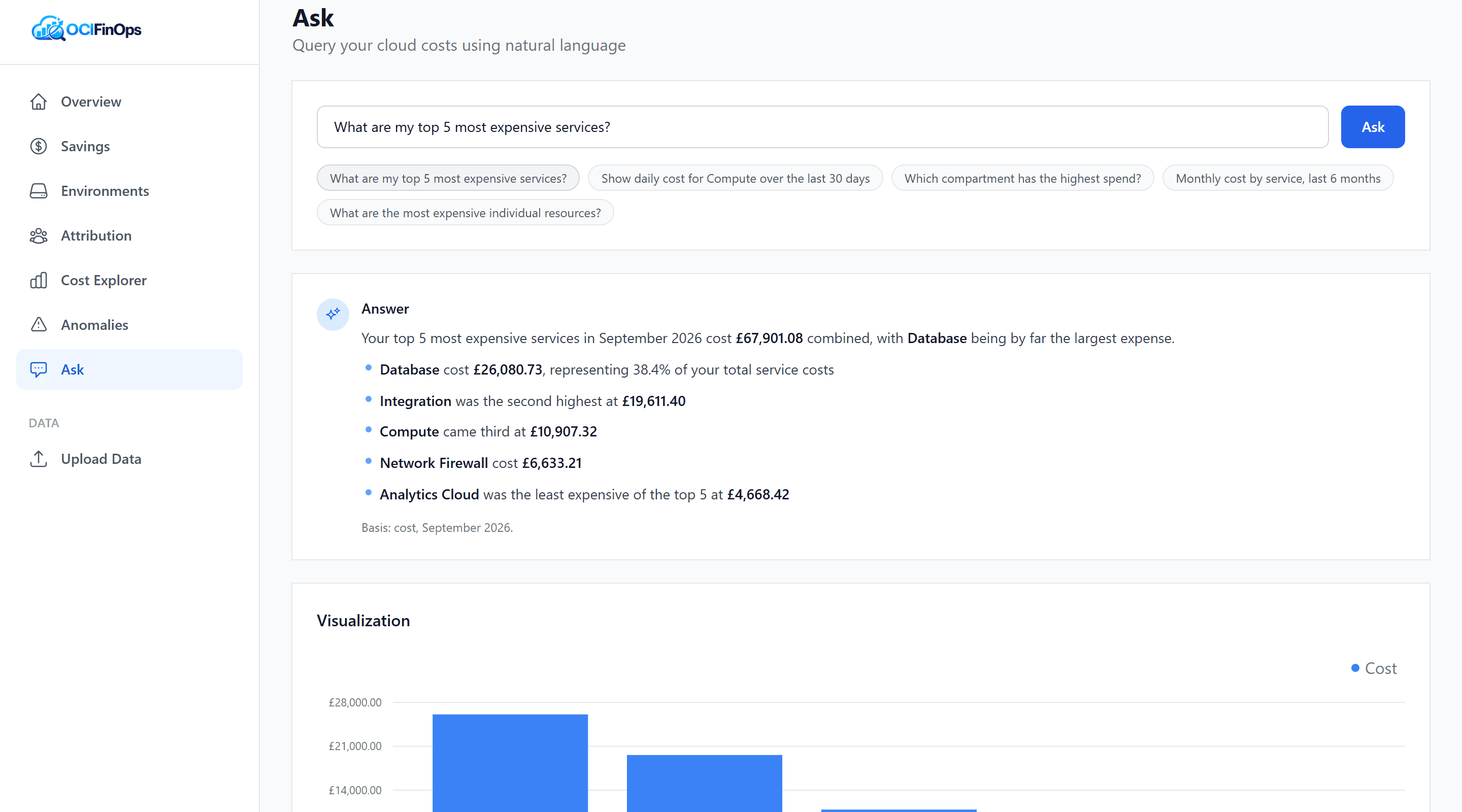
Ask questions. Get answers. See charts.
No SQL required. Type a question like "What are my top 5 most expensive services?" and get a plain-English answer, a chart and the figures behind it, in seconds. Every answer states the period and filters it covers, and its figures are checked against your data before you see them. If a question is ambiguous, Ask asks rather than guesses.
Everything you need to understand OCI costs
From automated data loading to plain-English questions — full visibility into your Oracle Cloud spend.
Cost Explorer
Drill into spend by service, compartment, environment or region, with nested views and month-on-month change.
Anomaly Detection
Spikes are grouped into single events and ranked by size, so you investigate what matters, not noise.
Natural Language Queries
Ask questions in plain English and get answers, with charts, straight from your own cost data.
Automated Ingestion
Your OCI cost reports are loaded on a schedule and tidied into a consistent picture, ready to explore.
Idle Resource Finder
Surface underutilised resources so you can right-size or decommission what you don't need.
Security First
Runs in your own OCI region, so your cost data never leaves it, and neither do your questions: Ask runs on AI hosted in your region. Encryption in transit and at rest, role-based access, audit logging and managed keys, built for security-reviewed environments.
Up and running quickly
Share Your Cost Data
Your OCI cost data reaches us through a secure process your security team can approve, then refreshes on a schedule.
Analyze & Explore
Interactive dashboards break down your spend by service, compartment, region, and time. Filter and drill into any dimension.
Ask Questions in English
Type questions like "What's my most expensive service?" and get instant answers from your own cost data.
Spot Issues Early
Anomaly detection and idle resource analysis help you catch cost issues before they grow.
Explore a complete example estate: Meridian
Meridian is a fictional organisation we built to show OCIFinOps at full strength. Its estate is deliberately rich and complex: a deep compartment hierarchy, production and non-production environments, shared platform services, project and owner tagging with the gaps real tagging always has, once-a-month charges, part-complete months, spikes and steady growth. The cost data runs to more than 13 million line items across more than a year of daily history, refreshed every night. Everything in the demo is Meridian: no real customer data.
Book a demo to see itReady to understand your cloud costs?
See where your Oracle Cloud money goes, and what to do about it.